
Security: two factor authentication - YubiKey
- Company: YUBICO
- Model: YubiKey
- Color: Black
- Size: 18 x 45 x 3 mm
- Weight: 2.5 grams
- Price: $25
- Warranty: 2 Year
- Website: www.yubico.com
What is two factor authentication?
Two factor authentication is a security process in which the user provides two means of identification, First being a physical token such as a card, and the other which is typically something memorized, such as login credentials. Some people commonly refer to this as "something you have and something you know"
Security is something we all need to be constantly on top of. There are allot of companies that are not using best practices when it comes to security authentication we constantly see them in the news notifying users that they have been compromised.
As of right now best practice for password storage should be hashing + salting your passwords.
What is Hashing?
Hashing is an algorithm that turns data into a fixed-lenghth fingerprint that cannot be reversed. This is great however hackers don't need to reverse them. They can create new hashes and compare them by brute forcing.By adding Salt to there password before it is hashed it makes it virtually impossible to do this with out knowing what the Salt was.
What is Salt you ask?
Salt is adding random characters in addition to your password. The key here is random. It would look something like
("password" + "QxLUF1bgIAdeQX") = 9e209040c863f84a31e719795b2577523954739fe5ed3b58a75cff2127075ed1
for more of an in-depth technical read about this check out defuse's website
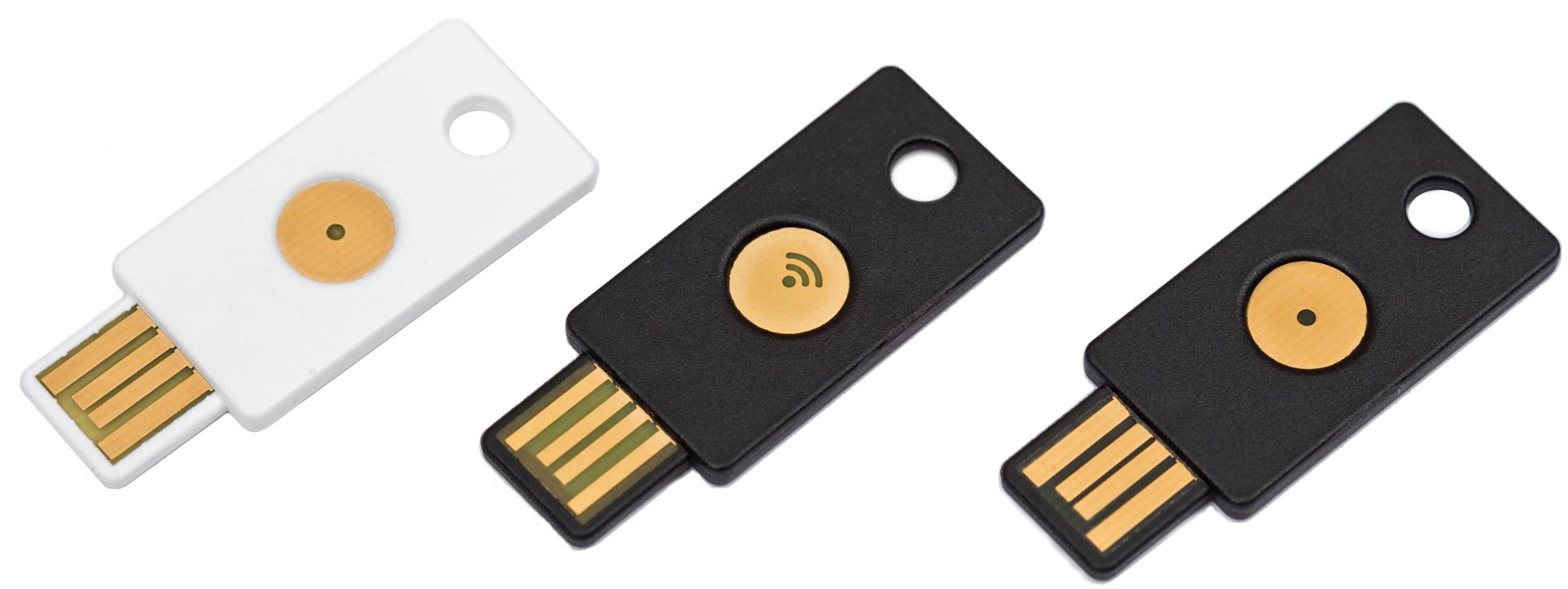
Now that we know and understand password storage we can add another layer of security with hardware. Yubico has designed a USB key for generating encrypted one time passwords by generating and sends unique time-variant authentication codes by emulating keystorkes.
How does the Yubikey work?
Plug the Yubikey into your USB port and push the center button where you see the green ELD. The light will go out while you push the button. Once you push the button Yubikey transmits a 44-character string and then send a new line command (enter). This is all very easy to use because the Yubikey shows up as a keybord to the computer so it will work for any computer. It is even possible to get it working on your iPad with a little adapter.
For technical information check out Yubico's technical description page
What can I use it for?
Well more and more services and application are starting to use YubiKey. check out the full list
What I currently use Yubikey with
- Lastpass ( a must)
- Rohos (OSX Login)
- Rohos (Windows Login)
- Trucrypt (disk encryption)
- Wordpress (plugin)
- OpenID (clavid)
- PayPal
- Ebay
- YubiRadius
Also the standard YubiKey come's with 2 channels built in. You press the button for 1-2secounds it loads the first channel. Holding it for 4-5 seconds loads the second channel. In the first channel I would suggest setting it up with OneTimePassword and in the secound you can setup as a static password for services that do not support two factor Authentication. This means you can store a password in channel 2 that can be 64 characters long. I think thats pretty good for a static password and having it at the tip of your finger is awesome. Now remember with a static password your still only as secure by how good the password storage security is and of course you still have to beware of man in the middle attacks.
Check out some videos demonstrating and explaining yubico products on there YouTube page